It is recommended to start your Transactions within 48 hours of establishing an Agency depending on your market.
Click Transactions from the main menu

Next, click +Add Transaction

Select your transaction Category & Type. The blue radio button will indicate those selected.
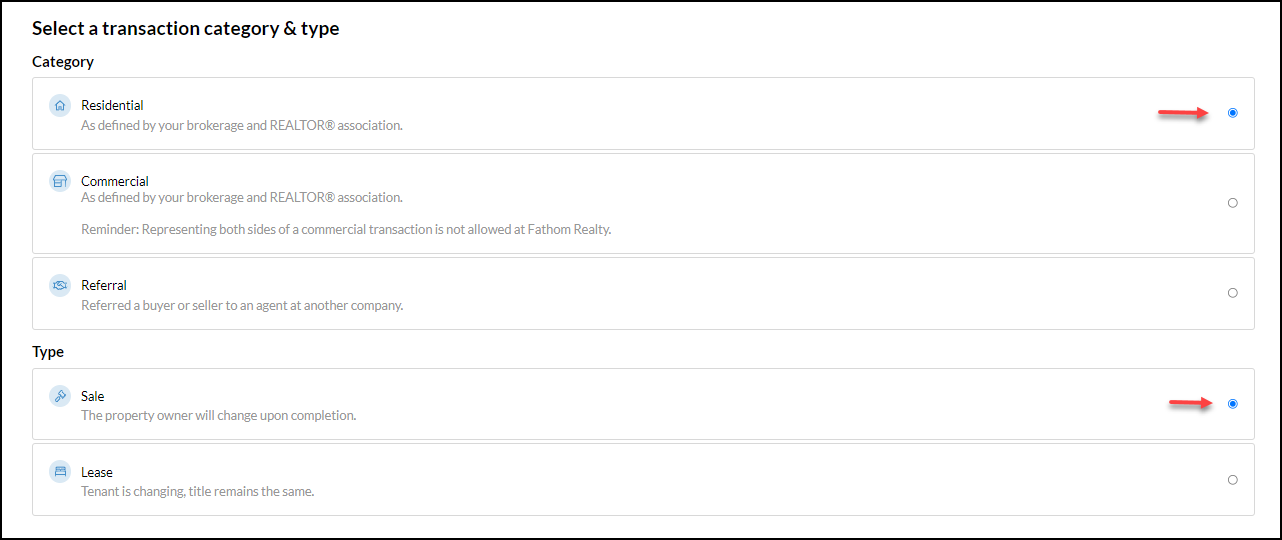
Click Continue
Next, complete 'Who are you representing'
- Select Buyer or Seller
- Next, select the appropriate Market
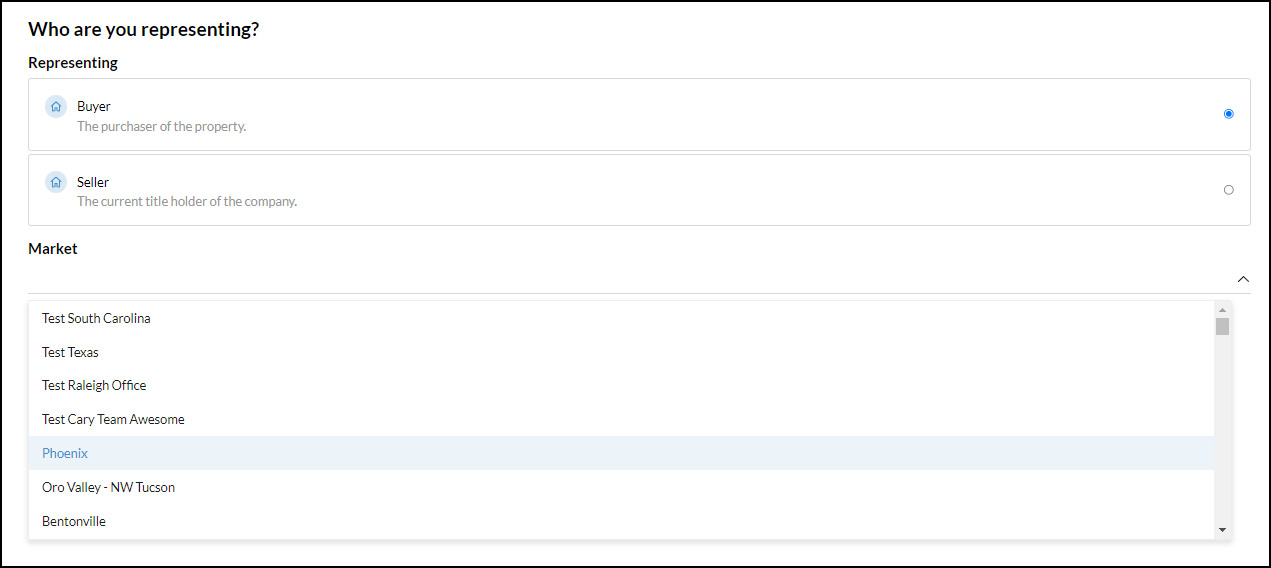
Click Continue
Selecting or Adding Clients
The first option is to use Search Database. If unsure, we recommend searching the database first. Creating a contact if the same contact already exists will duplicate!
The second option is to Add New Contact

Click Continue
Select a Property
The first option is to Search Properties by MLS Number
the second option is to Add Property Manually
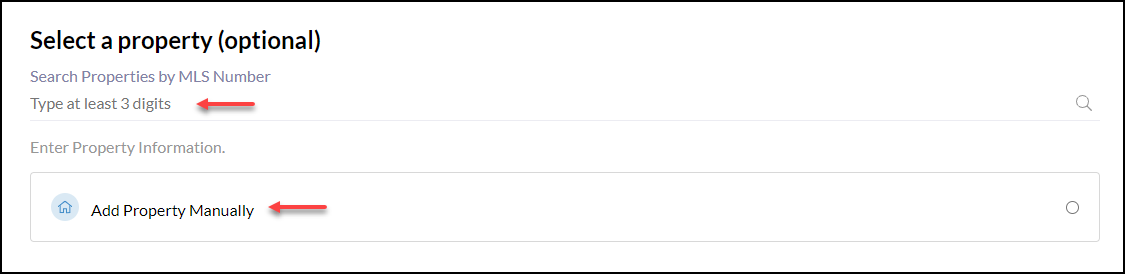
Click Continue
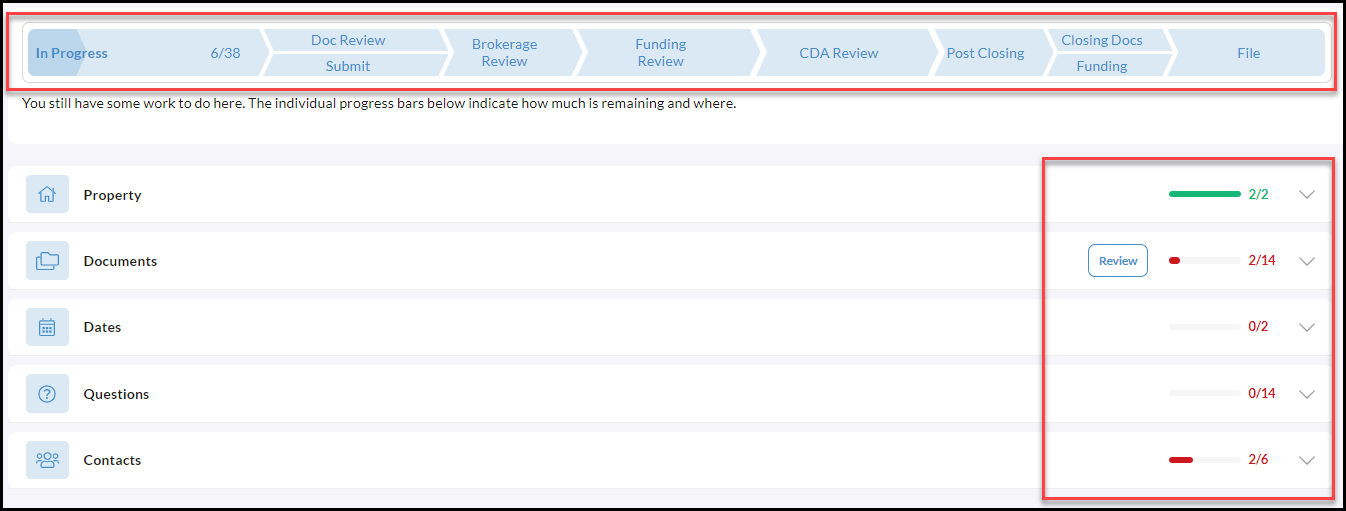
Transaction Progress
It is important to note, that as you continue to work on your transaction you will have a progress bar at the top to help guide you along the way indicating what has been completed as well as how much is remaining and where.