Click Transactions from the iA menu

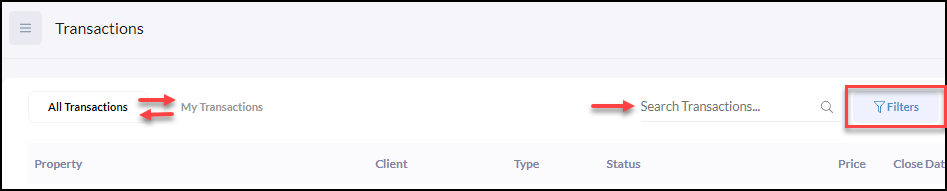
From the list of transactions, there are 3 options below to easily sort and filter your transactions
- Toggle between All Transactions and My Transactions
- Use the Search Transactions.. 🔍search bar
- Create a Filter view of desired transactions
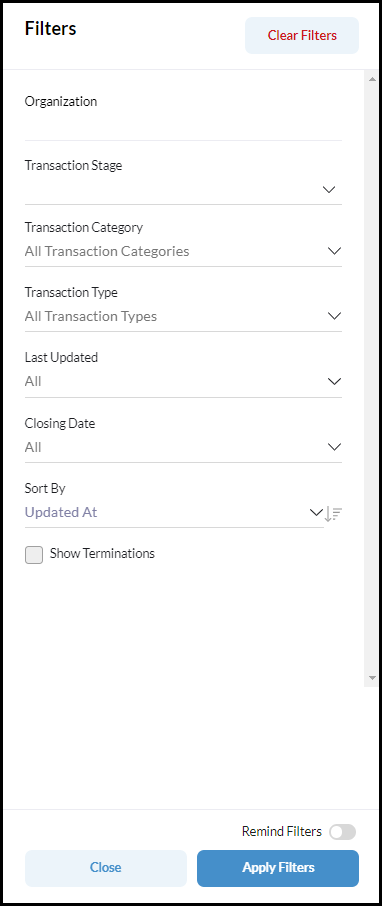
Transaction Filters
Use Filters to narrow down the relevant information you want to view. Once you have created your filters you have the option of saving this filter by toggling the Remind Filter on.