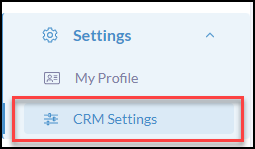
Click Settings from the iA Menu
Click, CRM Settings
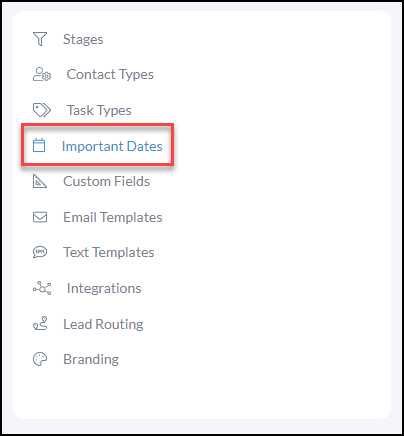
Click Important Dates
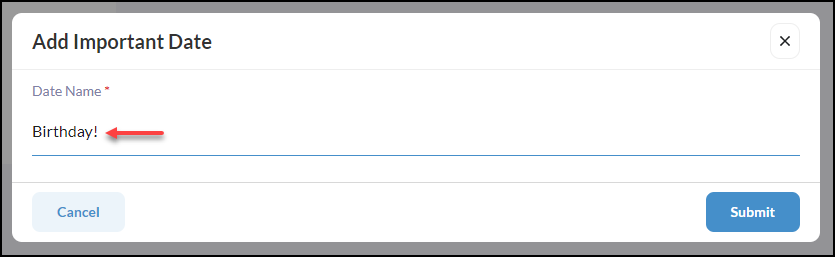
Click +Add Important Date

Create the Date Name
Adding Important Dates to a Contact
From Contacts, click Add Contact or Edit Contact (for existing)
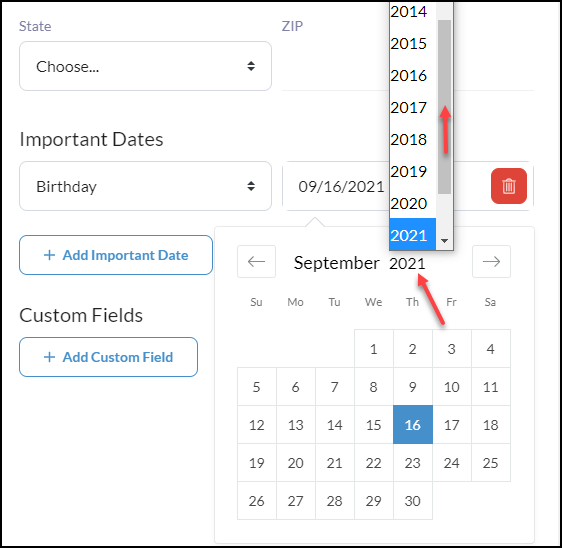
Next, scroll down to Important Dates and select the important date you created in settings from the dropdown.
Note: Click on the month or year to navigate quickly to that date.
*To import Important Dates, add prefix "importantDate_" for the new column headers