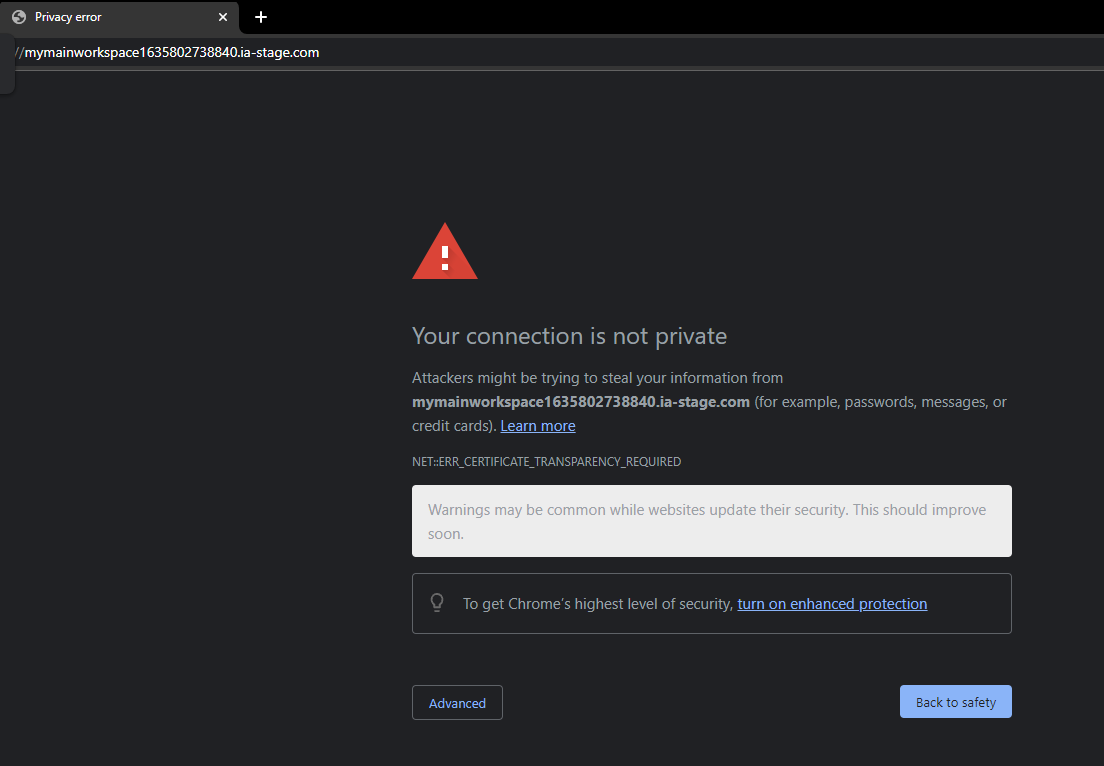
If you receive a Privacy Error when clicking ‘View Website’ for the very first time just know this is normal and the first step in the process of creating the SSL Certificate for the website. Please see steps below.
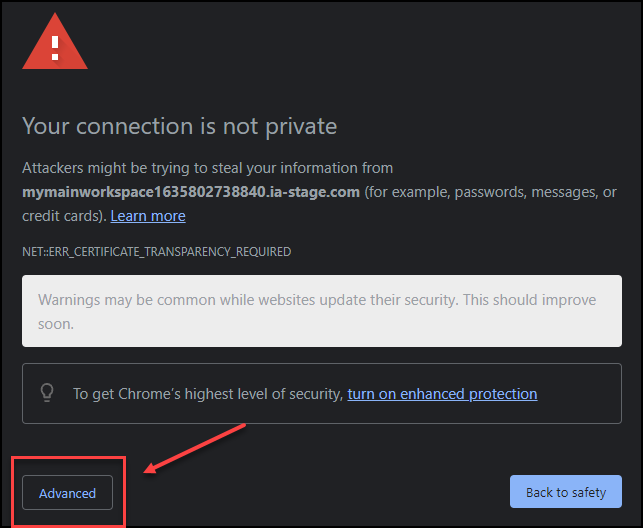
First click, Advanced (shown below)
Next, click Proceed to URL (shown below)
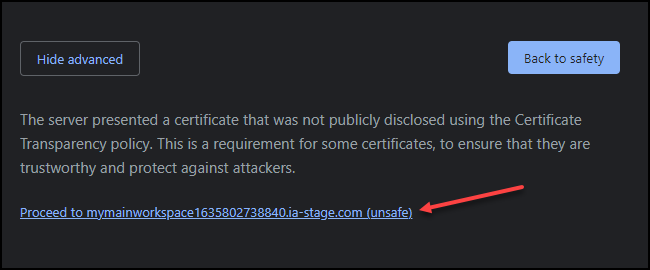
These steps are just needed one time to activate the SSL Certificate.
FAQ's
Question: Will other users that access my website receive this same Privacy Error message?
Answer: No, but with the caveat that it only impacts the first person to open the website creating the SSL certificate so it’s highly encouraged to always be the first person to do so!
Question: Do I need to pay a monthly or annual fee for the SSL Certificate for my website?
Answer: There is no cost! intelliAgent uses Let’s Encrypt which is free and automated with a secure open certificate authority.