We understand that your business is not based upon just home buyers and sellers. You also interact in business-to-business relationships. Utilize Contact Types to help further segment your interactions.
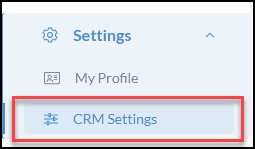
Click Settings from the iA Menu
Click, CRM Settings
Click Contact Types

Use +Add Contact Type to include more

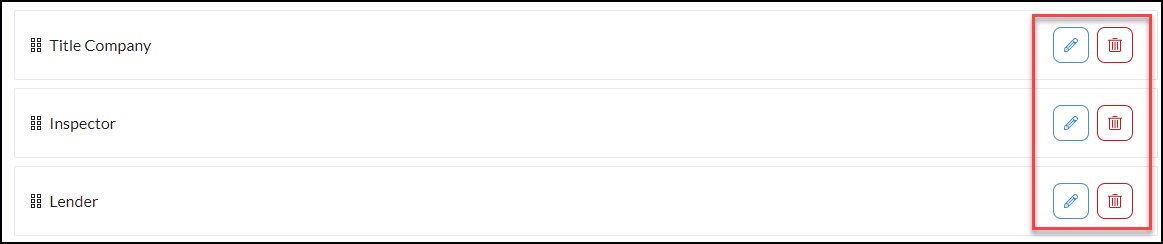
Edit or Delete Contact Types
To Edit or Delete contact types simply click the edit and delete buttons to the right of each contact type.
Pro Tip* Create Filters based upon these Contact Types! By creating filtered contact groups based upon the contact types, you can send drip campaigns and broadcasts that prioritize the needs of the contacts based on their journey.