Each card is an individual concept containing different images, texts, and links that click through to explore content in greater detail. There are 4 styles of cards to choose from.
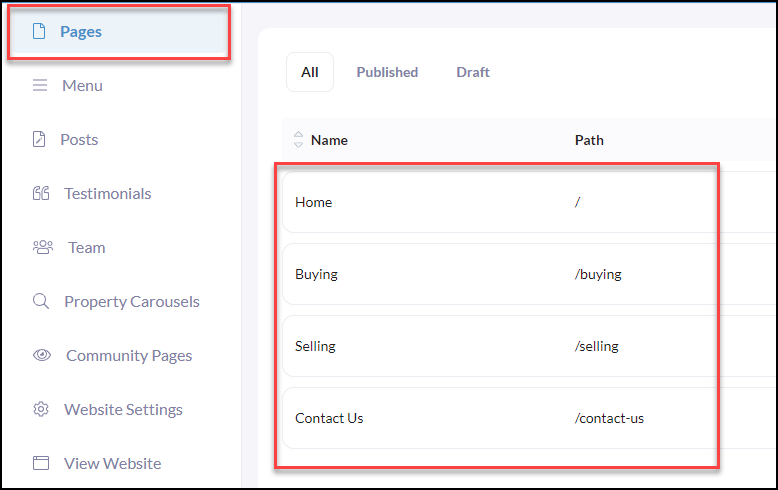
Click Pages in your iA website menu
Click the page you wish to begin adding Cards to.
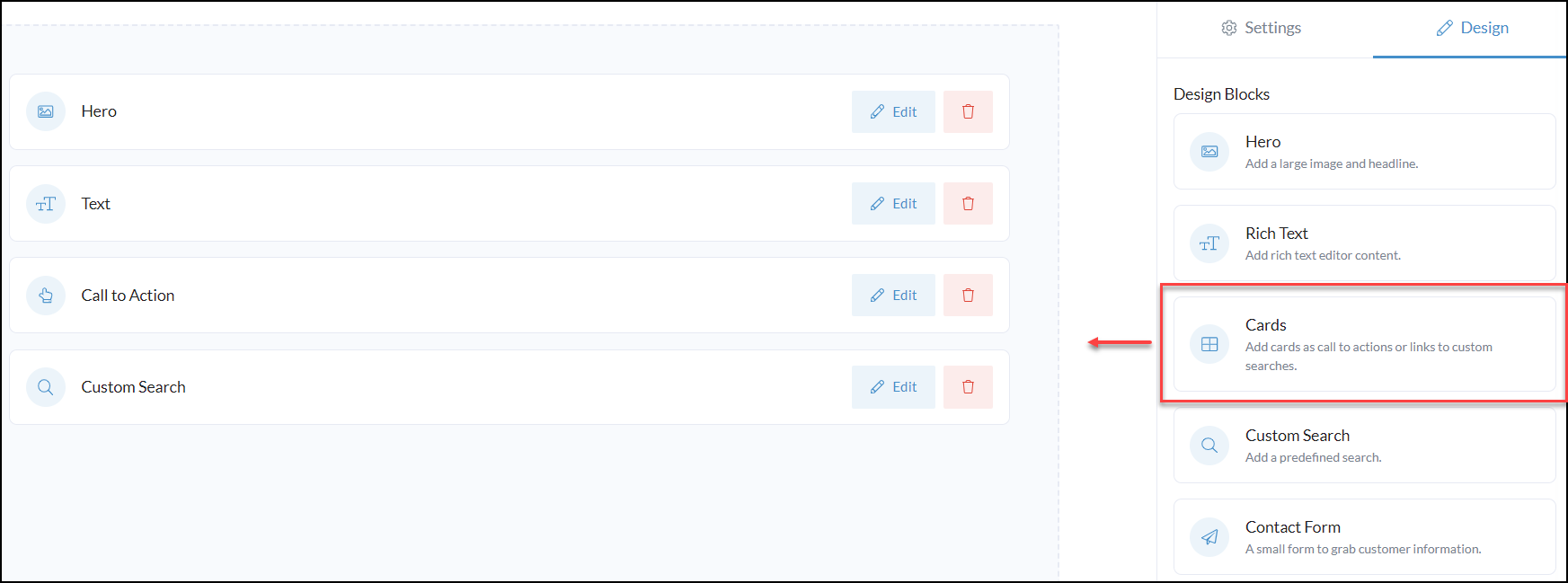
From your desired website page, Drag n' Drop the Cards design block or click Edit to make changes

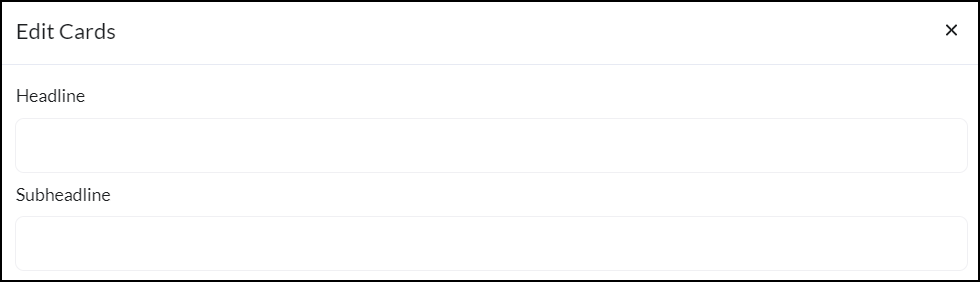
The first Headline and Subheadline will display above the cards listed (optional)
Next, for each card enter in a headline, description, background image, and link (as applicable)
Pro Tip: If you are adding links to any pages, use "Relative URLs" 👇
What is a relative URL? A relative URL is using just the part after the domain name. For Example: Instead of using the full "https://your-domain-name/page-name" just use "/page-name" That means if you ever change your domain name the page links will still work.
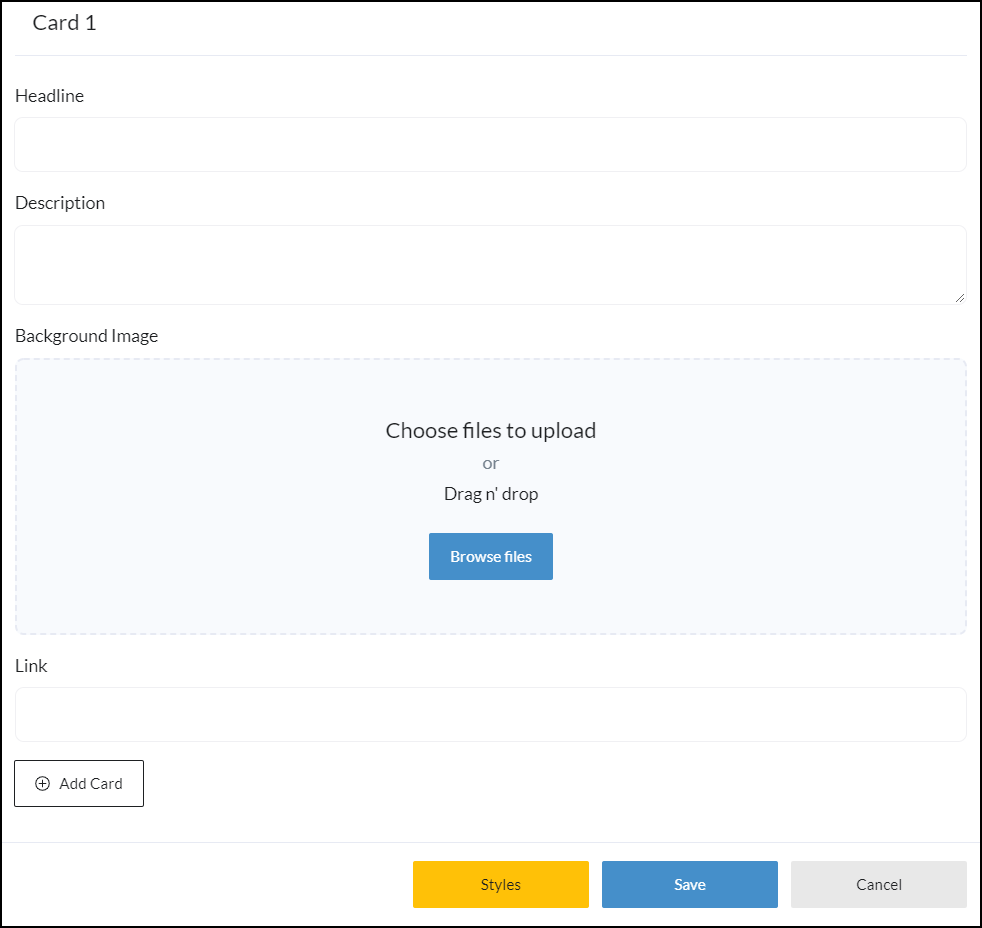
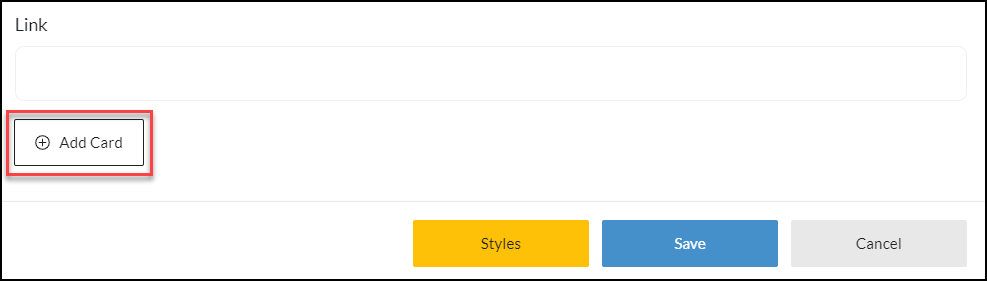
To include more cards click +Add Card
Once all updates and changes are completed, click Save in the top right-hand corner.
Example Card Uses:
- Cards can be linked to specific property searches such as featured areas or property types.
- Cards can be linked to other pages such as 'Buying With Us' or 'Selling With Us'
- Cards can be static for informational content
Card Sizes - 600x400 pixels