Have a prospective buyer? Using the property blast feature is a streamlined way for your leads to know what properties are available to them. These emails will connect directly to your MLS to filter for criteria based on what your leads are looking for.
From your main iA menu click Marketing then click Broadcasts

Click +Create Broadcast

From the Marketing Center, click Property Blast
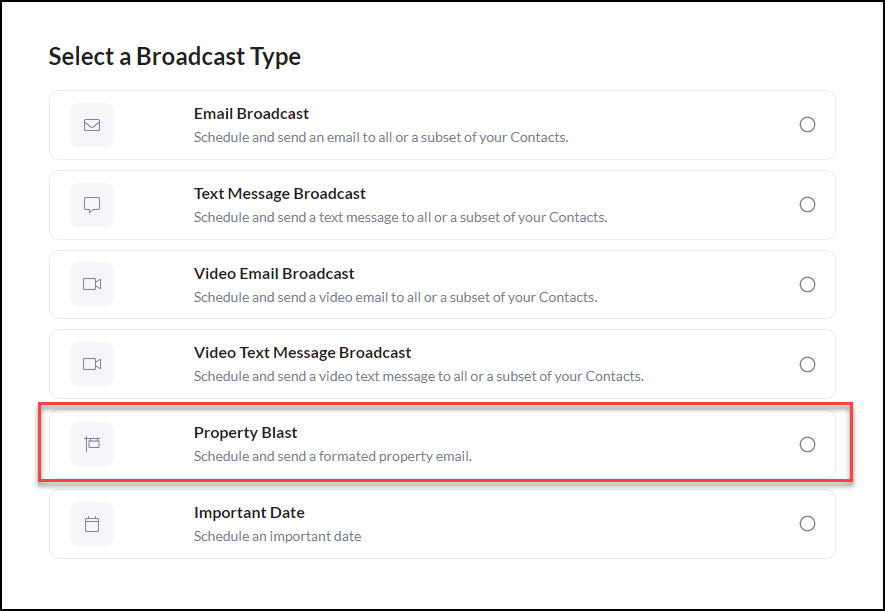
Select Your Property Blast Email Templates
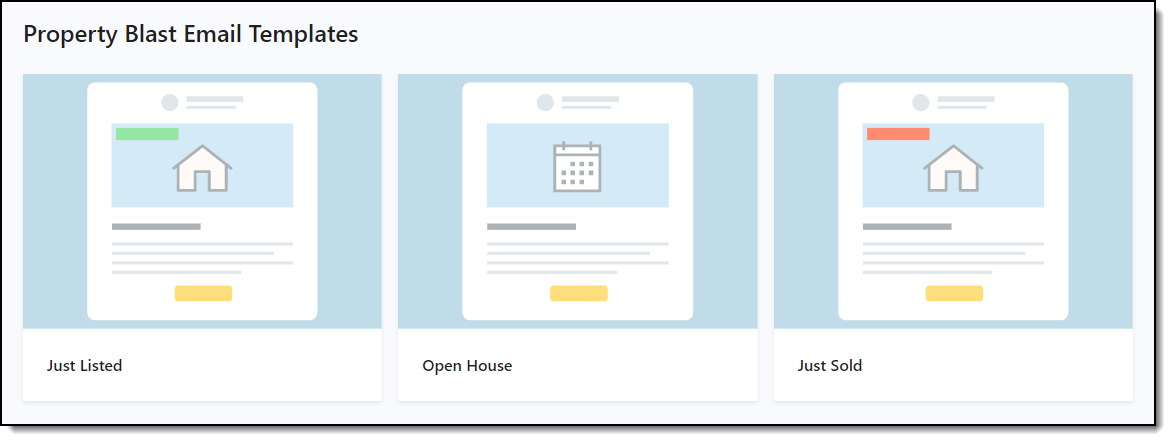
Just Listed
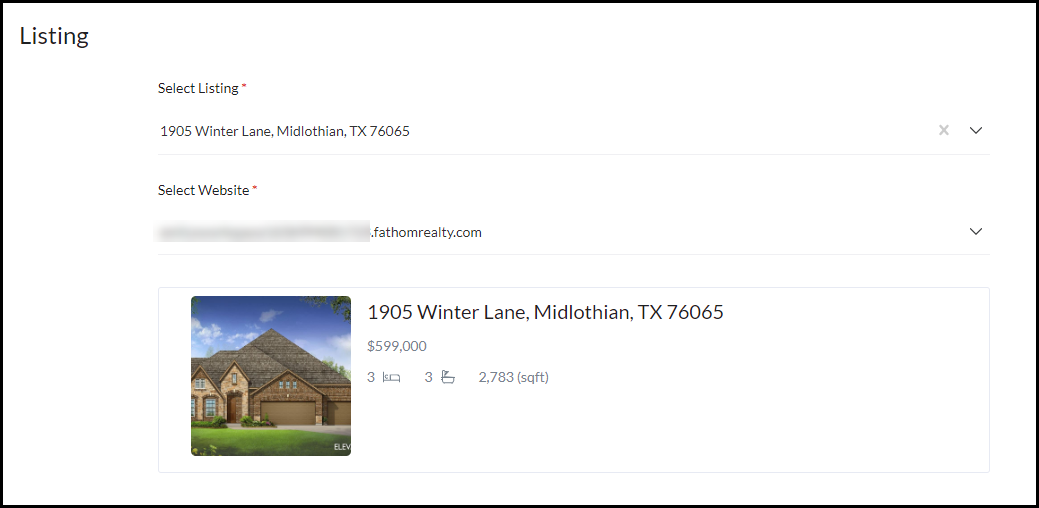
Select a listing & select your website. The listing information will automatically populate.
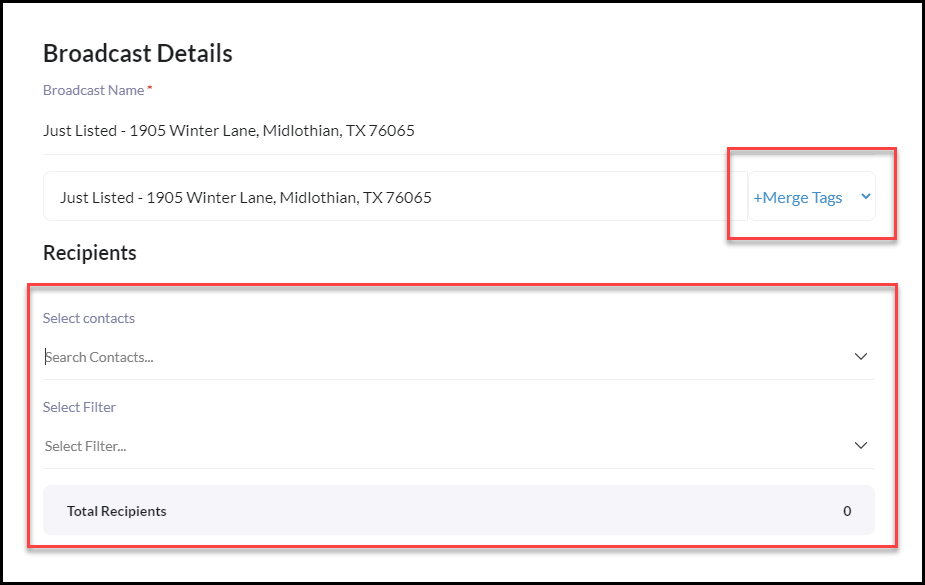
Next, complete the following Property Blast - Broadcast Details
- The Internal Email Campaign Name will automatically populate with the Campaign Name
- Select who the email will be sent from. This is great in a team setting or admin to send campaigns on other team members' behalf.
- Add Merge Tags for optimized personalization. **Merge Tags insert unique user data from your contact list into emails.
- Select Contact(s) or Select a Filter of Contacts. To learn how to create a filter CLICK HERE
Click Continue when ready
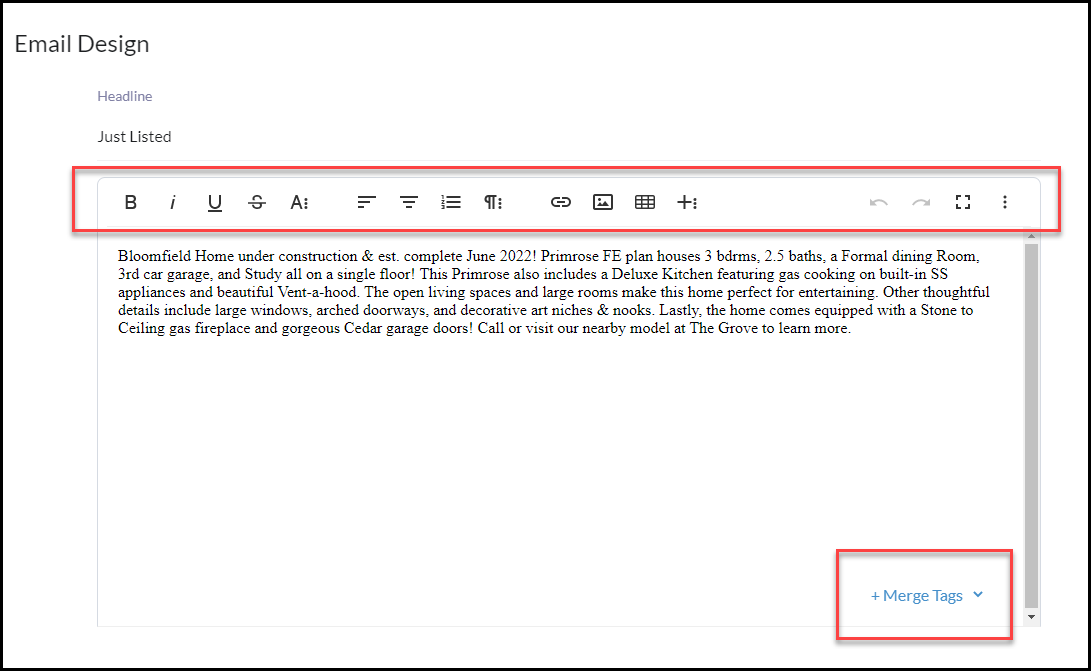
The Email Design will Automatically Populate where you can add merge tags for personalization, edit or add to the MLS description, as needed.
Select to send the campaign with Send Now or Schedule for Future Date & Time

When ready, click Submit!